Buy beauty-lounge.eu ?
We are moving the project
beauty-lounge.eu .
Are you interested in purchasing the domain
beauty-lounge.eu ?
domain@kv-gmbh.de · 0541-91531010
Buy beauty-lounge.eu ?
What is 7-Zip?
7-Zip is a free and open-source file archiver software that is used to compress and decompress files. It supports a wide range of file formats and has a high compression ratio, making it an efficient tool for reducing file sizes. 7-Zip also has its own file format, 7z, which is known for its strong compression capabilities. Additionally, it has a user-friendly interface and is available for Windows, Linux, and macOS operating systems. **
How do you use 7-Zip?
To use 7-Zip, first, download and install the software on your computer. Once installed, you can right-click on any file or folder you want to compress or extract, then select the 7-Zip option from the context menu. From there, you can choose to compress the file into a variety of formats or extract files from an existing archive. Additionally, you can also use the 7-Zip interface to navigate through your computer's files and perform various compression and extraction tasks. **


Similar search terms for 7-Zip
Top-Angebote
Products related to 7-Zip:
-
Sigma Beauty Modern Glam Brush SetCreate looks that are always on trend with these cutting-edge make up brushes inside a matching Beauty Bag. Featuring gorgeous glittery finishes and ultra-soft synthetic fibers, for flawless and natural application. The multifunctional design of these brushes allow you to experiment with different types of application, formulas and more, so you always have what you need for the latest beauty craze Contents: F47 Multitasker™- Quickly apply foundation, blush or contour F10 Powder/Blush- Precisely apply powder products E49 Medium Tapered Blending- Blend colors into the crease E24 Diffused Blend™- Diffuse crease color E65 Small Angle- Create precise lines + strokes Beauty Bag- Chic storage for touch-ups on the go84,60 £*Shipping: 0,00 £Secure redirect to the provider
-
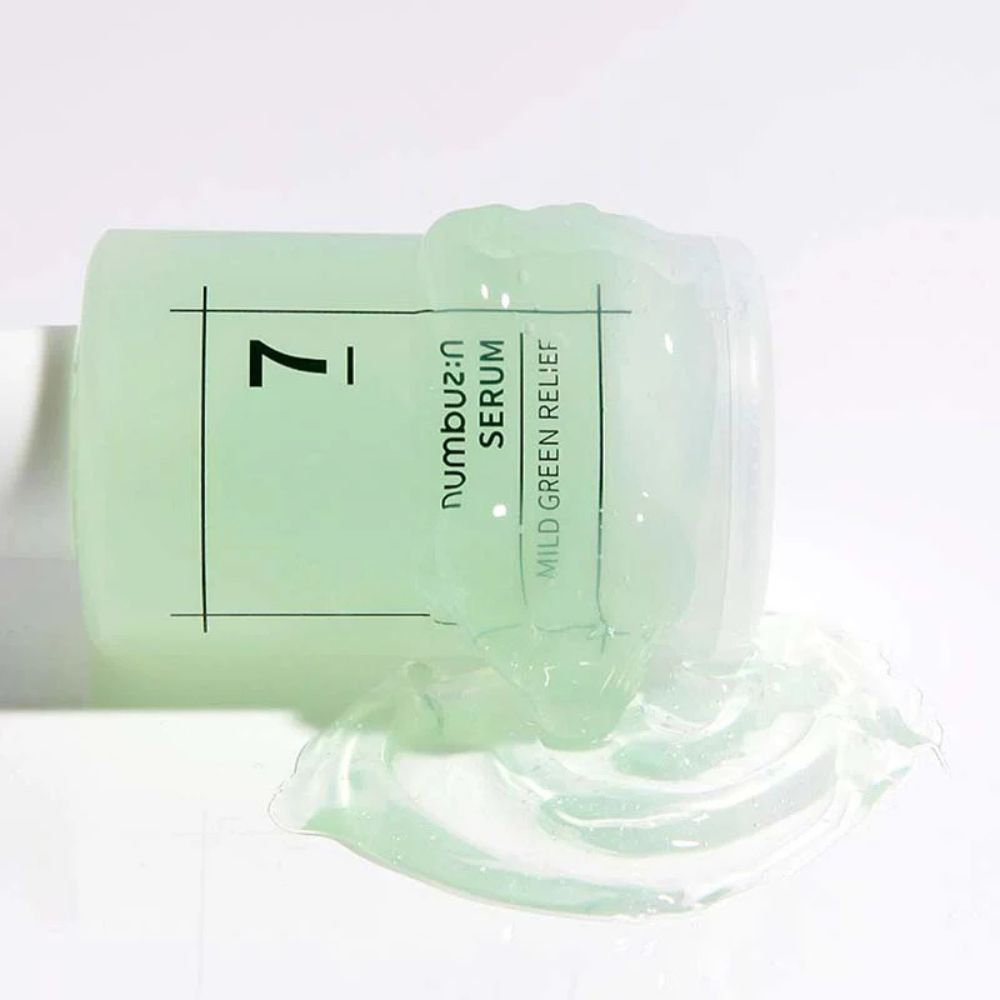
Numbuzin No.7 Mild Green Soothing Serum Refreshing 50mLA facial serum for sensitive skin. Soothe and hydrate sensitive skin with No.7 Mild Green Soothing Serum. Packed with 29 calming ingredients to reduce redness and irritation. Calms and replenishes with 29 soothing ingredients. Deep hydration to restore moisture and strengthen the skin barrier. Ideal for sensitive skin prone to redness, irritation, and environmental stressors.16,89 £*Shipping: 5,16 £Secure redirect to the provider
-
Beautiful Skin Radiant Concealer - 7 Medium Charlotte Tilbury 326 Beautiful Skin Radiant Concealer Size:Darlings, BRIGHTEN, SMOOTH and LIFT the LOOK of your eyes and face with Beautiful Skin Radiant Concealer, a HYDRATING concealer with a MEDIUM BUILDABLE coverage and 16 HOUR wear. Use it to CONCEAL, CORRECT and CONTOUR for a BEAUTIFUL SKIN EFFECT that creates the illusion of a flattering FACE + EYE LIFT! This is a SCIENCE + COLOUR radiant liquid concealer that brightens, smooths, and lifts the look of your complexion! Infused with HYDRATING hyaluronic acid, PORE-REFINING niacinamide, BRIGHTENING, RADIANCE-BOOSTING golden vitamin C and vegan COLLAGEN to IMPROVE the LOOK of your SKIN every time you wear it! It's like SHAPEWEAR FOR THE EYES + FACE! THE POWER OF A CONCEALER + THE POWER OF AN EYE CREAM 7 Medium is suitable as a BEAUTIFUL MATCH for medium skin tones with peach undertones. Match with:23,25 £*Shipping: 2,95 £Secure redirect to the provider
-
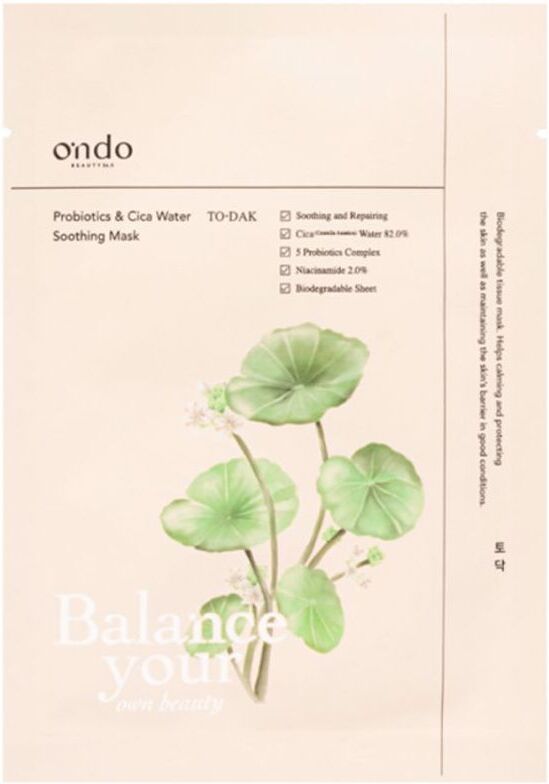
Ondo Beauty 36.5 Cica Water Probiotic Soothing Mask 25 mlHealth and Beauty Masks Ondo Beauty 36.5 Cica Water Probiotic Soothing Mask 25 ml A soothing mask made up of 82% cicada water to soothe and repair all skin types, including sensitive and irritated skin. This mask is made up of 82% Cica Water, nothing less than one of the most calming and restorative plants in nature, replacing water as the first ingredient. We know of no other mask with such a high percentage of Cica Water! This plant is used in traditional Ayurvedic and Chinese medicine.3,90 £*Shipping: 3,99 £Secure redirect to the provider


-
Is WinRAR or 7-Zip better?
Both WinRAR and 7-Zip are popular file compression and extraction tools, but 7-Zip is generally considered better for several reasons. 7-Zip is open-source and free, while WinRAR is a paid software with a trial version. 7-Zip also has a higher compression ratio, meaning it can create smaller file sizes, and it supports more file formats than WinRAR. Additionally, 7-Zip has a simpler and more user-friendly interface. Overall, 7-Zip is often preferred for its cost-effectiveness, efficiency, and versatility. **
-
What is better, 7-Zip or WinRAR?
Both 7-Zip and WinRAR are popular file compression tools, but they have some differences. 7-Zip is free and open-source, while WinRAR is a paid software with a free trial. In terms of compression ratio, 7-Zip generally outperforms WinRAR. However, WinRAR has a more user-friendly interface and additional features like repair capabilities. Ultimately, the choice between the two will depend on personal preference and specific needs. **
-
What does compression strength mean in 7-Zip?
In 7-Zip, compression strength refers to the level of compression applied to the files being compressed. A higher compression strength will result in smaller file sizes but may also require more time and processing power to compress and decompress the files. Users can choose the compression strength based on their priorities, such as file size reduction or speed of compression/decompression. **
-
What is the file extension for 7-Zip archives?
The file extension for 7-Zip archives is ".7z". This extension is used to identify files that have been compressed and archived using the 7-Zip software. When you see a file with the ".7z" extension, you can be sure that it is a 7-Zip archive that may contain one or more compressed files or folders. **

Does the Nexus Mod Manager only install 7-Zip?
No, the Nexus Mod Manager does not only install 7-Zip. While it does use 7-Zip for extracting compressed files, it also has the capability to install various types of mods for supported games. The Nexus Mod Manager simplifies the process of downloading, installing, and managing mods for games, making it easier for users to enhance their gaming experience. **
How do I extract RAR files using 7-Zip?
To extract RAR files using 7-Zip, first, download and install 7-Zip on your computer. Once installed, right-click on the RAR file you want to extract. From the context menu, select '7-Zip' and then choose 'Extract Here' to extract the contents to the current directory. Alternatively, you can select 'Extract to [folder name]' to extract the contents to a specific folder. **
Top-Angebote
Products related to 7-Zip:
-
SweetCare Beauty Edit Makeup 7 ProductsA micellar water for wrinkles and signs of ageing. Makeup is a celebration of your personality — and this Beauty Edit was designed to enhance your natural beauty with simplicity and sophistication. Beauty that feels like you — effortless, radiant, and uniquely yours. A practical selection for well-cared-for skin, a fresh, glowing look, and quick touch-ups wherever the day takes you:.22,23 £*Shipping: 6,86 £Secure redirect to the provider
-
ToSkin Intimate Hygiene pH 7 Soothing 300mLA cleansing product for redness. Formulated with plant-based surfactants, floral water, and extracts, it provides soothing, anti-redness, and anti-itching action. Provides relief in irritation-prone situations. Ideal for daily intimate care in girls and menopausal women. Effective for hypersensitivity and as a complement in fungal infections.7,94 £*Shipping: 6,86 £Secure redirect to the provider
-
Sigma Beauty Modern Glam Brush SetCreate looks that are always on trend with these cutting-edge make up brushes inside a matching Beauty Bag. Featuring gorgeous glittery finishes and ultra-soft synthetic fibers, for flawless and natural application. The multifunctional design of these brushes allow you to experiment with different types of application, formulas and more, so you always have what you need for the latest beauty craze Contents: F47 Multitasker™- Quickly apply foundation, blush or contour F10 Powder/Blush- Precisely apply powder products E49 Medium Tapered Blending- Blend colors into the crease E24 Diffused Blend™- Diffuse crease color E65 Small Angle- Create precise lines + strokes Beauty Bag- Chic storage for touch-ups on the go84,60 £*Shipping: 0,00 £Secure redirect to the provider
-
Numbuzin No.7 Mild Green Soothing Serum Refreshing 50mLA facial serum for sensitive skin. Soothe and hydrate sensitive skin with No.7 Mild Green Soothing Serum. Packed with 29 calming ingredients to reduce redness and irritation. Calms and replenishes with 29 soothing ingredients. Deep hydration to restore moisture and strengthen the skin barrier. Ideal for sensitive skin prone to redness, irritation, and environmental stressors.16,89 £*Shipping: 5,16 £Secure redirect to the provider
-
What is 7-Zip?
7-Zip is a free and open-source file archiver software that is used to compress and decompress files. It supports a wide range of file formats and has a high compression ratio, making it an efficient tool for reducing file sizes. 7-Zip also has its own file format, 7z, which is known for its strong compression capabilities. Additionally, it has a user-friendly interface and is available for Windows, Linux, and macOS operating systems. **
-
How do you use 7-Zip?
To use 7-Zip, first, download and install the software on your computer. Once installed, you can right-click on any file or folder you want to compress or extract, then select the 7-Zip option from the context menu. From there, you can choose to compress the file into a variety of formats or extract files from an existing archive. Additionally, you can also use the 7-Zip interface to navigate through your computer's files and perform various compression and extraction tasks. **
-
Is WinRAR or 7-Zip better?
Both WinRAR and 7-Zip are popular file compression and extraction tools, but 7-Zip is generally considered better for several reasons. 7-Zip is open-source and free, while WinRAR is a paid software with a trial version. 7-Zip also has a higher compression ratio, meaning it can create smaller file sizes, and it supports more file formats than WinRAR. Additionally, 7-Zip has a simpler and more user-friendly interface. Overall, 7-Zip is often preferred for its cost-effectiveness, efficiency, and versatility. **
-
What is better, 7-Zip or WinRAR?
Both 7-Zip and WinRAR are popular file compression tools, but they have some differences. 7-Zip is free and open-source, while WinRAR is a paid software with a free trial. In terms of compression ratio, 7-Zip generally outperforms WinRAR. However, WinRAR has a more user-friendly interface and additional features like repair capabilities. Ultimately, the choice between the two will depend on personal preference and specific needs. **
Similar search terms for 7-Zip
-
Beautiful Skin Radiant Concealer - 7 Medium Charlotte Tilbury 326 Beautiful Skin Radiant Concealer Size:Darlings, BRIGHTEN, SMOOTH and LIFT the LOOK of your eyes and face with Beautiful Skin Radiant Concealer, a HYDRATING concealer with a MEDIUM BUILDABLE coverage and 16 HOUR wear. Use it to CONCEAL, CORRECT and CONTOUR for a BEAUTIFUL SKIN EFFECT that creates the illusion of a flattering FACE + EYE LIFT! This is a SCIENCE + COLOUR radiant liquid concealer that brightens, smooths, and lifts the look of your complexion! Infused with HYDRATING hyaluronic acid, PORE-REFINING niacinamide, BRIGHTENING, RADIANCE-BOOSTING golden vitamin C and vegan COLLAGEN to IMPROVE the LOOK of your SKIN every time you wear it! It's like SHAPEWEAR FOR THE EYES + FACE! THE POWER OF A CONCEALER + THE POWER OF AN EYE CREAM 7 Medium is suitable as a BEAUTIFUL MATCH for medium skin tones with peach undertones. Match with:23,25 £*Shipping: 2,95 £Secure redirect to the provider
-
Ondo Beauty 36.5 Cica Water Probiotic Soothing Mask 25 mlHealth and Beauty Masks Ondo Beauty 36.5 Cica Water Probiotic Soothing Mask 25 ml A soothing mask made up of 82% cicada water to soothe and repair all skin types, including sensitive and irritated skin. This mask is made up of 82% Cica Water, nothing less than one of the most calming and restorative plants in nature, replacing water as the first ingredient. We know of no other mask with such a high percentage of Cica Water! This plant is used in traditional Ayurvedic and Chinese medicine.3,90 £*Shipping: 3,99 £Secure redirect to the provider
-
Women's Happy Double Zip Sneaker by Drew in Grey (Size 7 M)Step into style and comfort with Happy! These sneakers combine a modern design with superior support, making them perfect for all-day wear. Featuring functional laces for a secure, adjustable fit and side zippers for easy on-and-off convenience,...179,99 $*Shipping: 0,00 $Secure redirect to the provider
-
What does compression strength mean in 7-Zip?
In 7-Zip, compression strength refers to the level of compression applied to the files being compressed. A higher compression strength will result in smaller file sizes but may also require more time and processing power to compress and decompress the files. Users can choose the compression strength based on their priorities, such as file size reduction or speed of compression/decompression. **
-
What is the file extension for 7-Zip archives?
The file extension for 7-Zip archives is ".7z". This extension is used to identify files that have been compressed and archived using the 7-Zip software. When you see a file with the ".7z" extension, you can be sure that it is a 7-Zip archive that may contain one or more compressed files or folders. **
-
Does the Nexus Mod Manager only install 7-Zip?
No, the Nexus Mod Manager does not only install 7-Zip. While it does use 7-Zip for extracting compressed files, it also has the capability to install various types of mods for supported games. The Nexus Mod Manager simplifies the process of downloading, installing, and managing mods for games, making it easier for users to enhance their gaming experience. **
-
How do I extract RAR files using 7-Zip?
To extract RAR files using 7-Zip, first, download and install 7-Zip on your computer. Once installed, right-click on the RAR file you want to extract. From the context menu, select '7-Zip' and then choose 'Extract Here' to extract the contents to the current directory. Alternatively, you can select 'Extract to [folder name]' to extract the contents to a specific folder. **
* All prices are inclusive of VAT and, if applicable, plus shipping costs. The offer information is based on the details provided by the respective shop and is updated through automated processes. Real-time updates do not occur, so deviations can occur in individual cases. ** Note: Parts of this content were created by AI.